Skills
Specific capabilities that agents can perform, automatically optimized for best results
Core Concepts: Skills
What is a Skill?
A Skill represents a specific capability or task that an Agent can perform in Reactive Agents. While an Agent is like a specialized AI assistant, a Skill is a particular function within that assistant's expertise.
Examples:
english-grammar-check- analyzes English text for grammar errorsspanish-translation- translates text to Spanishcode-debugging- identifies and fixes code issuescustomer-inquiry-routing- categorizes and routes customer questions
Key Properties
Every skill has:
Basic Parameters
Basic Parameters
- Name: A unique identifier within the agent (e.g., "english-grammar-check")
- Description: What the skill does and how Reactive Agents should optimize it
- Partition: Split the skill into multiple parts for optimization
- System Prompts: Number of AI system prompts to generate for optimization
Advanced Parameters
NOTE: These parameters are not recommended to be changed.
- Grouping Interval: How often to re-optimize based on new data
- Minimum Requests Per Arm Reflection Threshold: Minimum number of requests per arm reflection to trigger a system prompt regeneration
How Skills Work
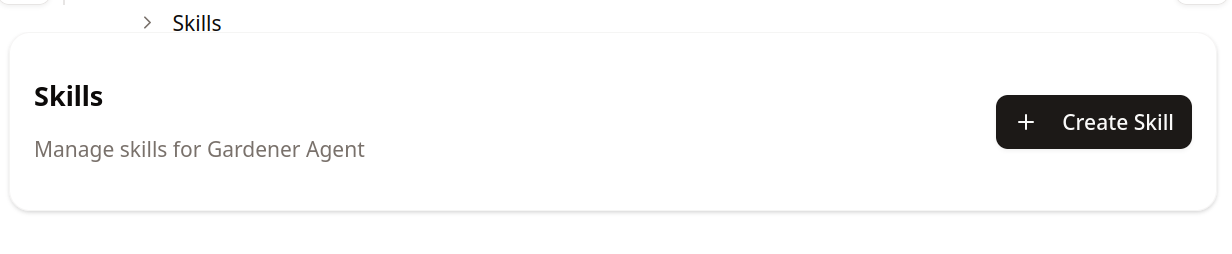
With an agent created, you can select a skill now:
- Click on the "Create Skill" tab:
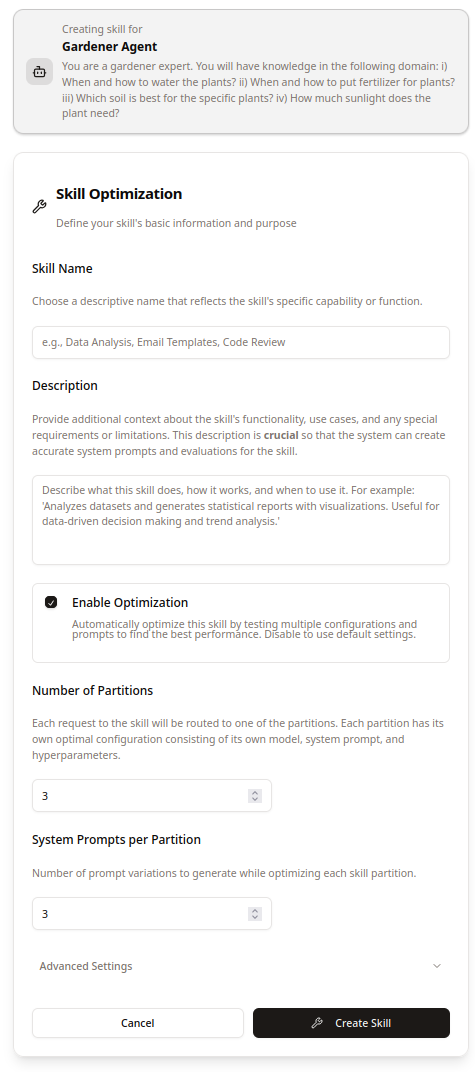
- Fill out the Skill Optimization Form and click "Create Skill":
You can create skills by providing:
- Skill Name: What you want to call this specific capability
- Description: Detailed explanation of what the skill should do (minimum 25 characters)
- Optimization Settings: How many configurations and prompts to test
Important: The description is crucial - Reactive Agents uses it to automatically generate system prompts and optimize the skill's performance.
Skill Optimization
Skills use advanced optimization techniques:
Multi-Armed Bandit Testing
- Arms: Different configurations (system prompt + AI model + parameters)
- Testing: Automatically tests multiple approaches simultaneously
- Selection: Gradually favors better-performing configurations
Grouping
- Groups Similar Requests: Organizes requests by patterns and complexity
- Specialized Optimization: Different groups can have different optimal configurations
- Adaptive Learning: Adjusts group boundaries as more data comes in
Continuous Improvement
- Performance Tracking: Measures success rates and quality metrics
- Auto-Generation: Creates new system prompts based on performance data
- Dynamic Adjustment: Modifies configurations based on real-world usage
Why Use Skills?
- Task Specialization: Each skill is optimized for a specific type of work
- Automatic Optimization: Performance improves over time without manual tuning
- Intelligent Routing: Best AI provider and configuration selected automatically
- Measurable Results: Track how well each skill performs
- Flexible Organization: Break complex agents into manageable, specialized skills
Best Practices
- Specific Descriptions: Write detailed descriptions of what each skill should accomplish
- Single Responsibility: Each skill should handle one clear, specific task
- Meaningful Names: Use descriptive names that explain the skill's purpose
- Let It Learn: Allow the optimization system time to learn and improve performance
💡 Pro Tip: The more detailed and specific your skill descriptions, the better Reactive Agents can optimize them. Take time to clearly explain what each skill should accomplish and how success should be measured.