Agents
Named AI assistants that handle specific types of work
Core Concepts: Agents
What is an Agent?
An Agent is simply a named AI assistant that handles a specific type of job. Think of it like a specialized AI helper for a particular domain.
Examples:
language-tutor- helps with language learningcode-reviewer- reviews and improves codecustomer-support- handles customer questions
Key Properties
Every agent has:
- Name: A unique identifier (e.g., "language-tutor")
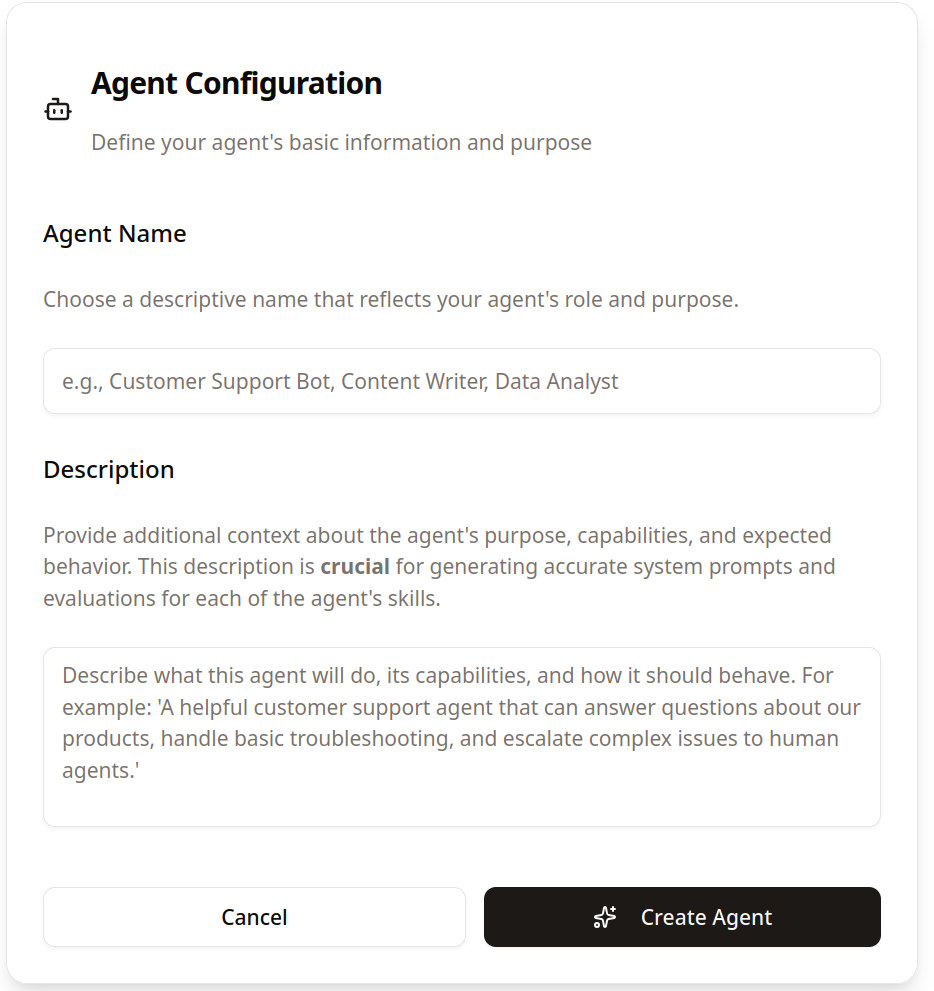
- Description: What the agent does
- Skills: Individual capabilities (covered in the Skills documentation)
How To Use Agents
When working with Reactive Agents, interact with agents through the web interface:
- Select an Agent or Create a New One: Choose from available agents or create a new one

- Choose a descriptive name for the agent. This will be used to identify the agent in the logs.
Behind the scenes, the agent ensures:
- Consistent expertise in every conversation
- Best AI provider automatically selected for the task
- Improved responses based on previous interactions
- Reliable performance for your specific use case
Agent Availability
Agents are available once they've been set up by your Reactive Agents administrators. You'll see them listed in the interface, ready to help with their specific areas of expertise.
Why Use Agents?
- Domain Specialization: Each agent is optimized for specific use cases
- Consistent Performance: Same agent provides predictable behavior
- Easy Management: Organize your AI capabilities by purpose
- Automatic Optimization: Agents improve over time based on usage
Next Steps
- Learn about Skills to understand what each agent can do
- Start using agents in your Reactive Agents interface to experience their specialized capabilities
💡 Getting Started: Agents are set up by your Reactive Agents administrators. Once configured, you'll see them available in your interface, ready to provide specialized assistance for different types of work.